


In the past when starting a project against a well documented API I would scour the docs and cherry pick the services and webhooks that I felt were most relevant for my application. My goal would be to touch the smallest subset of features necessary and get out of external code quickly, and focus on that which I controlled — not anymore.

Step 1: Subscribe to everything
Day one, I would write nothing. I would use FlurryPORT.io as a design-time tool and capture every event the provider offers or every event I could. For an active Shopify store it would be good to figure out the cadence and habits of those currently curating the store. You will be able to see which fields the store actually uses, where relevant data comes from, and which fields sit empty — finding the gaps the store isn’t using yet and your application can.
I would also suggest, during the design phase, that you point every provider you’re integrating at the same capture endpoint, so you see true interleaved sequences of events your application will encounter.
Step 2: build collections
After a reasonable snapshot of the shop’s webhook traffic is established, I would begin to categorize and place relevant payloads into collections. This may be a daunting task as you may find the noise coming from your subscriptions to be more than you want to handle. If only we had a tool to help with this captured mess of payloads …
Luckily for us all, we have access to AI. A less advertised feature of FlurryPORT is ‘Copy for AI’. Select a set of your captured traffic and click on ‘Copy for AI’ to receive a pageable preview of your payloads with a nifty ‘Copy all’ button.
Pressing ‘Copy all’ will place into the clipboard of your machine a list of the captures you wish to analyze with the friendly AI companion of your choosing.
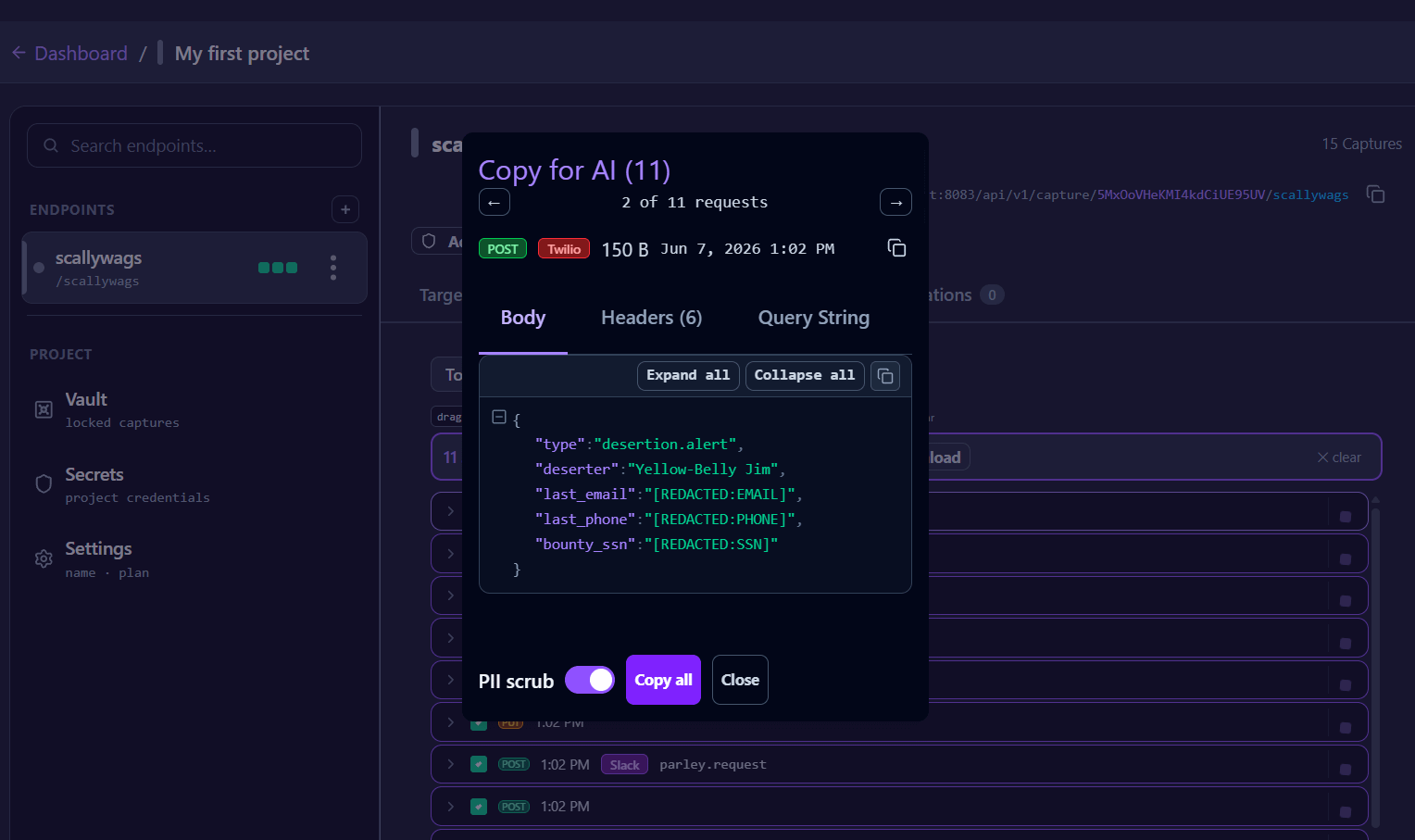
There is the option to scrub PII from the captured events prior to copying them for AI, with the preview window providing a sample of what will be redacted. Redaction is best-effort, not a guarantee that all PII is redacted — it would be prudent to place this in a simple text editor to verify redaction is complete prior to sending the captured events to your favorite AI.
Or, if FlurryPORT’s PII scrub is misbehaving, you can toggle it off and handle it yourself.
## Captured Webhooks (11 requests)

---
### 1. Unknown (99 B) — Unknown
**Captured**: 2026-06-07 19:02:38 UTC

#### Headers
```
Accept: */*
Host: localhost:8083
User-Agent: curl/8.15.0
Content-Type: application/x-www-form-urlencoded
Content-Length: 99
```

#### Body
```
captain=Redbeard&payout_card=[REDACTED:CREDIT_CARD]&clerk_email=[REDACTED:EMAIL]&clerk_phone=[REDACTED:PHONE]
```

---
### 2. Unknown (150 B) — Twilio
**Captured**: 2026-06-07 19:02:38 UTC

#### Headers
```
Accept: */*
Host: localhost:8083
User-Agent: curl/8.15.0
Content-Type: application/json
Content-Length: 150
X-Twilio-Signature: sq==
```

#### Body
```json
{
  "type": "desertion.alert",
  "deserter": "Yellow-Belly Jim",
  "last_email": "[REDACTED:EMAIL]",
  "last_phone": "[REDACTED:PHONE]",
  "bounty_ssn": "[REDACTED:SSN]"
}
```

---
### 3. Unknown (174 B) — Unknown
**Captured**: 2026-06-07 19:02:37 UTC

#### Headers
```
Accept: */*
Host: localhost:8083
User-Agent: curl/8.15.0
Content-Type: application/xml
Content-Length: 174
```

#### Body
```xml
<lookout><spotter>Crow Nest Carl</spotter><email>[REDACTED:EMAIL]</email><enemy_ipv6>[REDACTED:IPV6]</enemy_ipv6><enemy_ipv4>[REDACTED:IPV4]</enemy_ipv4></lookout>
```
... Truncated for brevity
Step 3: Replay and develop your application
Once settled on a series of events relevant to your application — organized by AI — you can now place your chosen events into a collection to be used during your development lifecycle. FlurryPORT offers a variety of options to help you scope your work and get any event to the correct endpoint of your application.
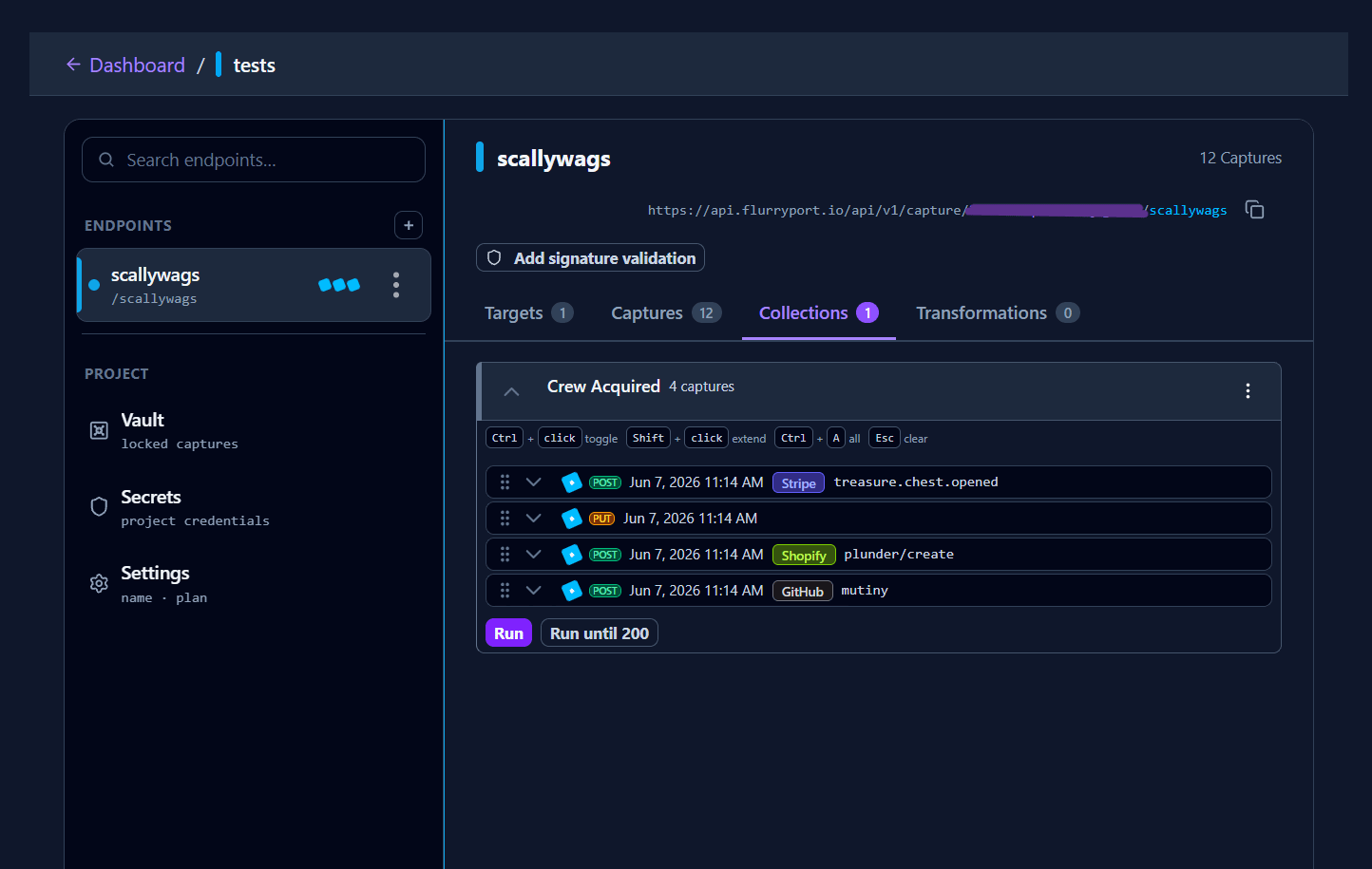
FlurryPORT's model is “everything arrives; bindings decide what it looks like when it does.” Here is how it works:
Add a replay target to a capture endpoint and it receives every event — delivery is never suppressed. A bare target with no bindings is the raw firehose, forwarded byte-for-byte.
NOTE: localhost targets that are not connected won’t receive events fired before they connect — this is by design, to mimic how your real-world server would behave if it were offline.
Shaping is a standing route: each binding pairs a JSONata predicate with a transformation, scoped to that endpoint-and-target. Predicates are evaluated against the original capture — body, headers, query — and each match queues its own replay, pinned to its transformation.
Transformation runs last, at send time, so each target gets the payload reshaped for it — trimmed to the three fields a tracking service needs, or restructured to a manufacturer’s schema.
When nothing matches, the capture forwards as-is. The system routes and reshapes; it never drops. If your predicate is mistuned you get the raw event, not silence.
Want to try the listening half of this today? Paste an endpoint from flurryport.dev into any provider's webhook settings — no account, captures live for about an hour. The design phase starts with hearing what your store actually says. One caution around the flurryport.dev endpoints: this demo endpoint does not apply envelope encryption to captured events until they’re imported into an account.